Introduction
One place for everyday media processing
LosslessConverter is a desktop app for people who care about both efficiency and output quality. It combines video and audio conversion, transcoding, compression, extraction, GIF creation, and practical editing tools in one workspace.
- Broad format compatibility: work across more than 1,000 media combinations and adjust resolution, bitrate, frame rate, codec, and quality.
- Fast processing: use compatible NVIDIA, AMD, Intel, or Apple silicon hardware to accelerate large HD, 4K, and 8K jobs.
- Professional audio support: preserve detail in formats such as FLAC and WAV or create widely compatible MP3 and AAC files.
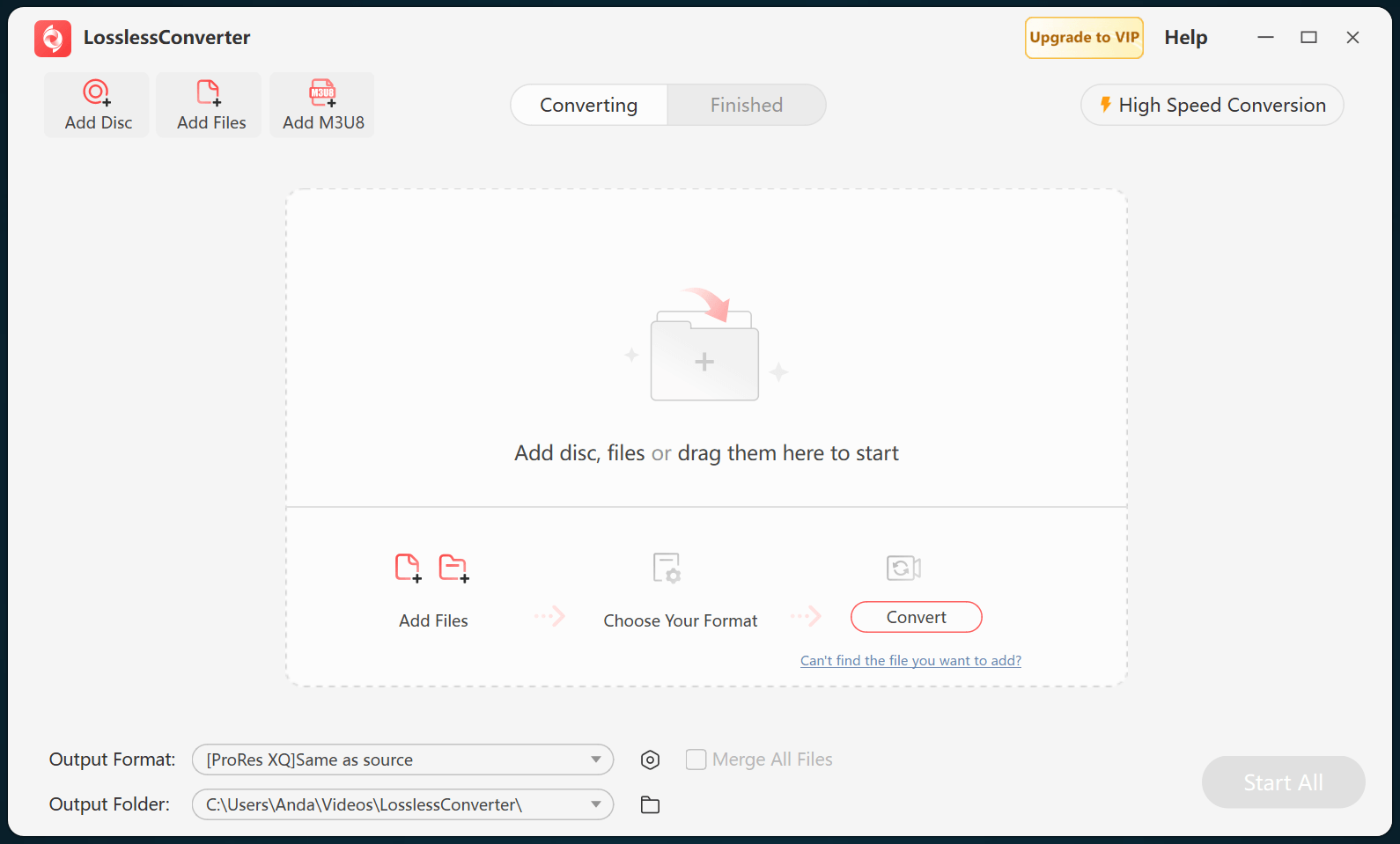
Before installation
System requirements
The Windows version supports 64-bit Windows 7, 8/8.1, 10, 11, and later. The Mac version supports macOS 10.13 High Sierra or later, including supported Intel and Apple silicon computers.
Review detailed GPU, AI, and format compatibility before using advanced processing features.
Windows setup
Install on Windows
- Select Free Download and wait for losslessconverter_install.exe to finish downloading.
- Double-click the installer to open the setup wizard.
- Review and accept the User License Agreement, then choose Next.
- Complete setup and launch LosslessConverter.
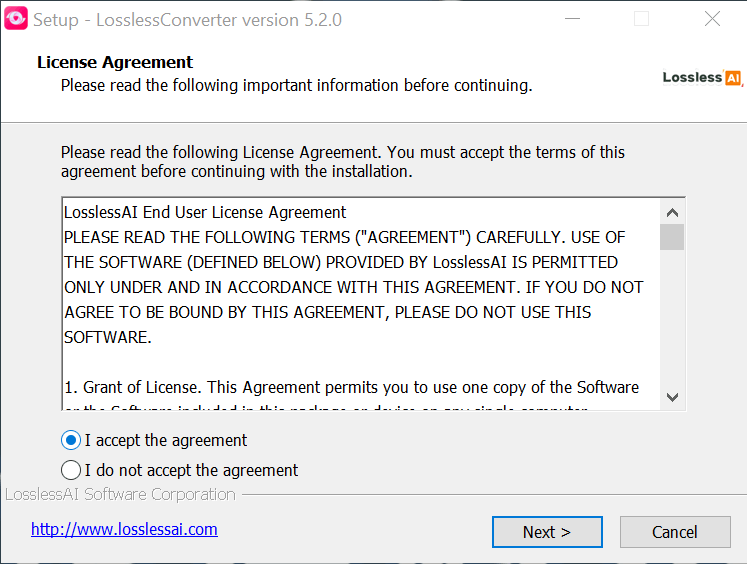
Installation normally takes only a few seconds. The home screen opens with direct access to each media-processing tool.
macOS setup
Install on Mac
- Choose the Mac download that matches your chip: Apple silicon (ARM) or Intel (x86).
- Open the downloaded DMG disk image and follow the installation instructions it contains.
- Open LosslessConverter and test a short source file before starting a larger job.
Full version
Register and activate
- Open LosslessConverter and select Upgrade.
- Enter the license code included in your order email.
- Select Activate to unlock the full version.
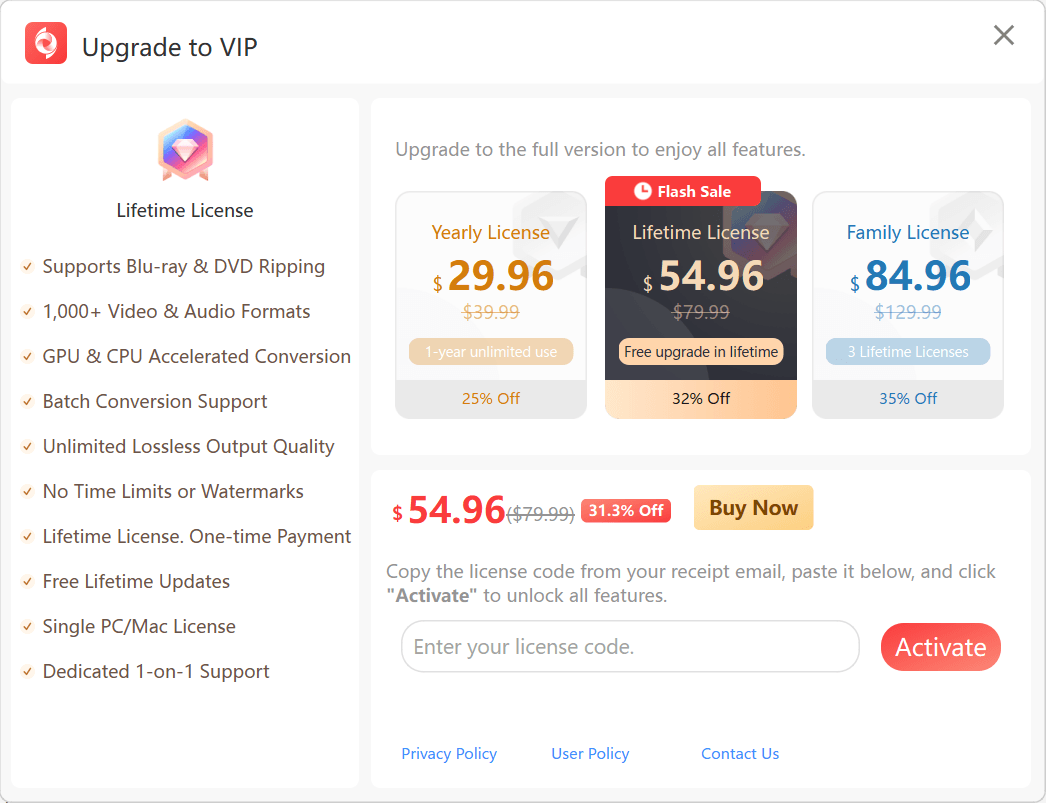
To transfer an activated license to a replacement computer running the same operating system, email [email protected] with your order details.